Via menu/screen (preferred)
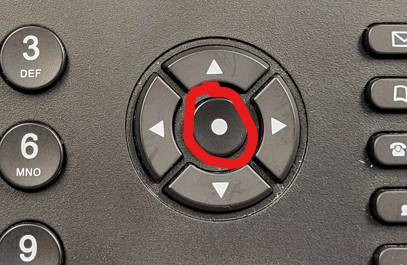
- With phone receiver left on hook (hung up), press the center (select) button (in the middle of the cluster of arrow buttons):
- You should now see this screen:
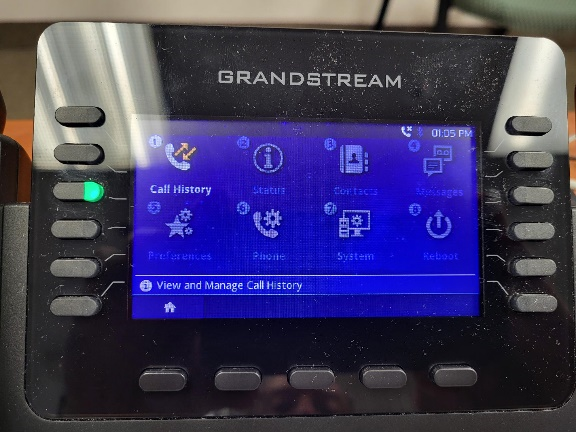
If pressing the center (select) button does not change the screen at all (phone is frozen), then proceed to reboot Via removing/restoring power on next page.
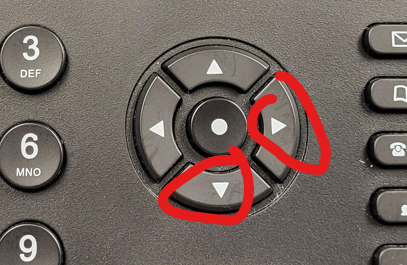
- Use down/right arrow keys to highlight/select the Reboot option:
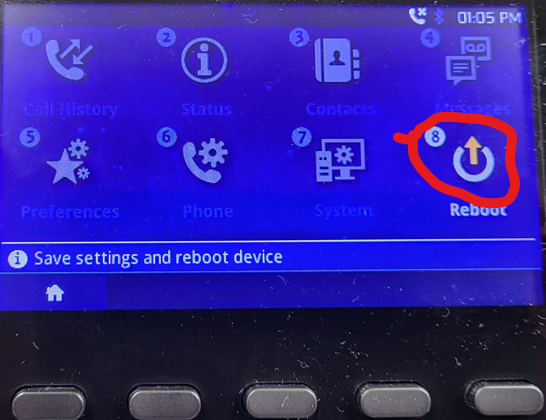
- Press the center (select) button again to select this option (Reboot).
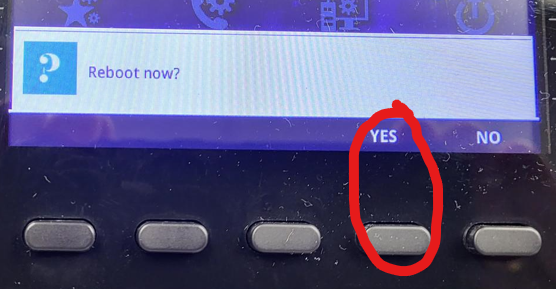
- You will now see a new Yes/No screen. Press YES to reboot.
Note: the reboot itself takes 2-4 minutes, and following that, your familiar screen view including the extension number and icon will appear. Initially, the icon will be RED. It could take another several minutes for the newly rebooted phone to be recognized by the system. The total reboot time is expected to take up to 10 minutes. After that time, if your phone is not working, please report the issue to IT Department (via email to Data_Processing_Division@sbtnj.net) and indicate your extension #, the initial issue encountered, and the fact that you tried a reboot and it failed. Be sure to include any new error messages seen, e.g., Network Failed, etc.
Via removing/restoring power to the device
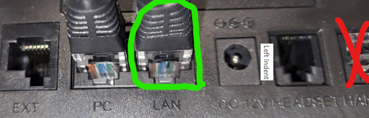
- On the back of the phone, there are either 1, 2 or 3 wires attached (not including the Handset wire attached to the receiver…ignore that one in the instructions that follow.).
- If there is only 1 wire, it is the LAN cable. Unplug for 5 seconds and reattach. (Be sure to put it back in the LAN socket (not the PC socket).
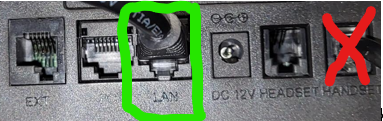
- If there are 3 wires attached, unplug the power cable (the thin wire on the right). Wait 5 seconds and reattach.
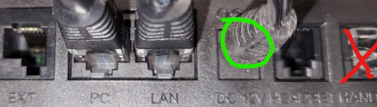
- If there are 2 wires and the PC socket is empty, unplug the power cable (the thin wire on the right). Wait 5 seconds and reattach.
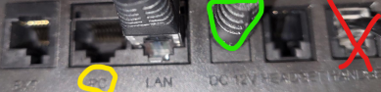
- If there are 2 wires and the PC socket is not empty, then unplug the LAN cable (the one on the right).
Note: the reboot itself takes 2-4 minutes, and following that, your familiar screen view including the extension number and icon will appear. Initially, the icon will be RED. It could take another several minutes for the newly rebooted phone to be recognized by the system. The total reboot time is expected to take up to 10 minutes. After that time, if your phone is not working, please report the issue to IT Department (via email to Data_Processing_Division@sbtnj.net) and indicate your extension #, the initial issue encountered, and the fact that you tried a reboot and it failed. Be sure to include any new error messages seen, e.g., Network Failed, etc.